Diia.Signature

An electronic signature that your clients can use to sign necessary documents or authorize themselves on yours website or in application

How does Diia.Signature work for signing

Companies need to configure the service technically
01
The client selects one or more documents and chooses the Diia.Signature option on the company's website or app
02
The client verifies their identity through photo verification and enters a five-digit code for Diia.Signature
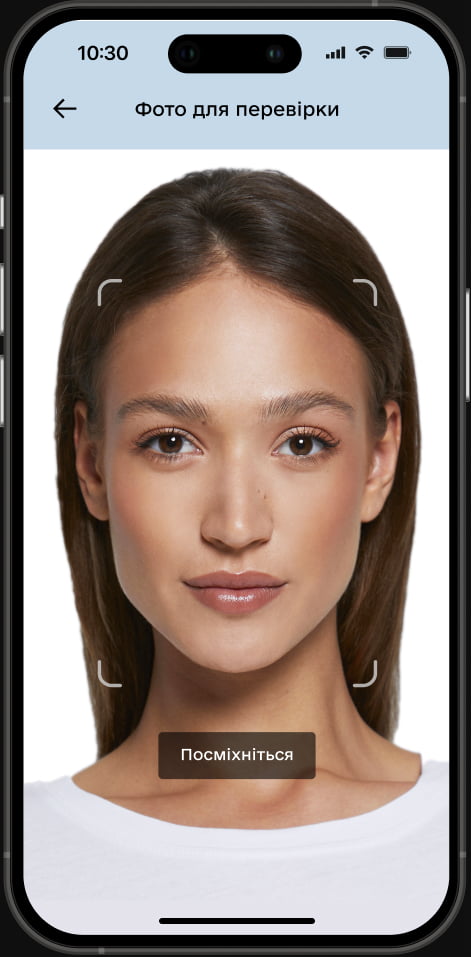
A screen in the Diia app titled Photo for Verification, with a girl's face framed
03
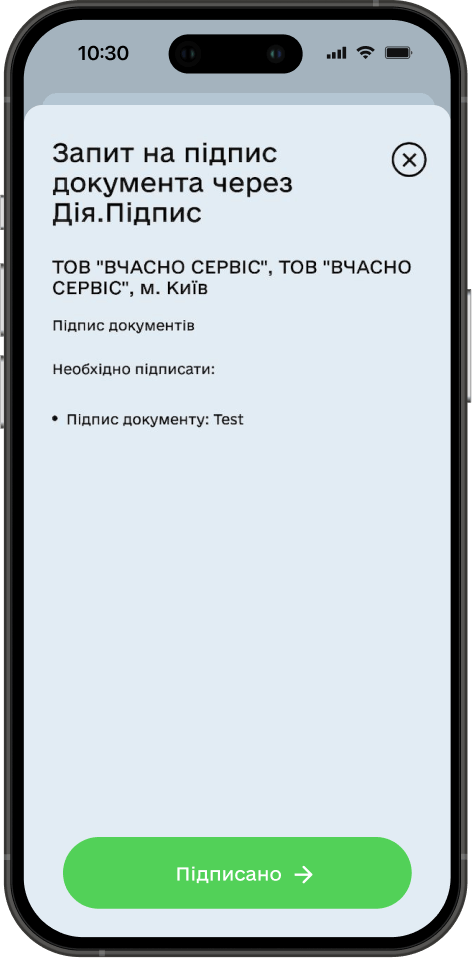
The document is signed
Request for document signature via Diia.Signature in Diia application, the screen shows information about the requester and the type of document being signed, below is the Signed button

Use cases

Вчасно
Signing documents with Diia.Signature in the Vchasno document processing service
Watch now
Аптека АНЦ
Signing vacation application online with Diia.Signature via the corporate chatbot — no need to go anywhere
Watch now

How does Diia.Signature work for authorization

Companies need to configure the service technically
01
The client selects the authorization option through Diia.Signature on the company's website or app
02
The client verifies their identity through photo verification and enters a five-digit code for Diia.Signature
A screen in Diia app titled Photo for Verification, with a girl's face framed
03
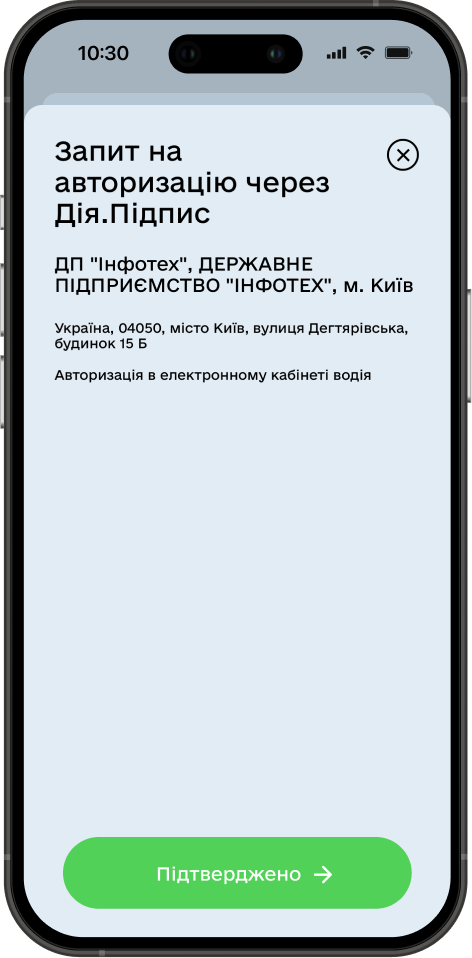
The user is authorized
Request for authorization via Diia.Signature in the Diia application, the screen shows information about the requester and authorization in the electronic account, below is the Confirmed button

Use cases

Укрзалізниця
Account verification through Diia.Signature in the railway app helps combat fraud
Watch now
auto RIA
Authorization with Diia.Signature on the AUTO.RIA platform to make the marketplace safer
Watch now
ТЕАТР ФРАНКА
Account verification via Diia.Signature on the Franko Theater website to combat scalpers.
Watch now

Integration scenarios

Are you ready to make processes simpler with Diia?

Contact with the Diia implementation team
Contact us

@AiDiiaStartBot

Telegram
QR code with a link to the chatbot in Telegram

Start@diia.gov.ua

Е-mail
QR code containing the text Start@diia.gov.ua
This website was created with the financial support of the European Union. Its contents are the sole responsibility of the Ministry of the Digital Transformation of Ukraine; and do not necessarily reflect the views of the European Union.
EU flag and inscription: Funded by the European Union